Purchase orders for manufacturers and engineering firms that are raised from the job's own costing, tracked against the date they're required, and costed back to the job when the goods arrive.



Every line carries a purpose — a sales order, stock, a batch, an NCR or something else. So whatever you buy, the cost lands somewhere you can see it.
Convert the quote to a sales order and every external cost becomes a purchase order, prefilled and ready to review and send.
Add a line to any sales order or works order, sub-works orders included, and its cost lands on that job.
Buy from an item's supplier list, at the supplier's own reference and cost, or open a new batch for it.
Replacement parts against an NCR, or a free-type line for a one-off buy that isn't on any list.
Lines for different jobs, stock and one-off buys on a single order to a supplier, each with its own date required.
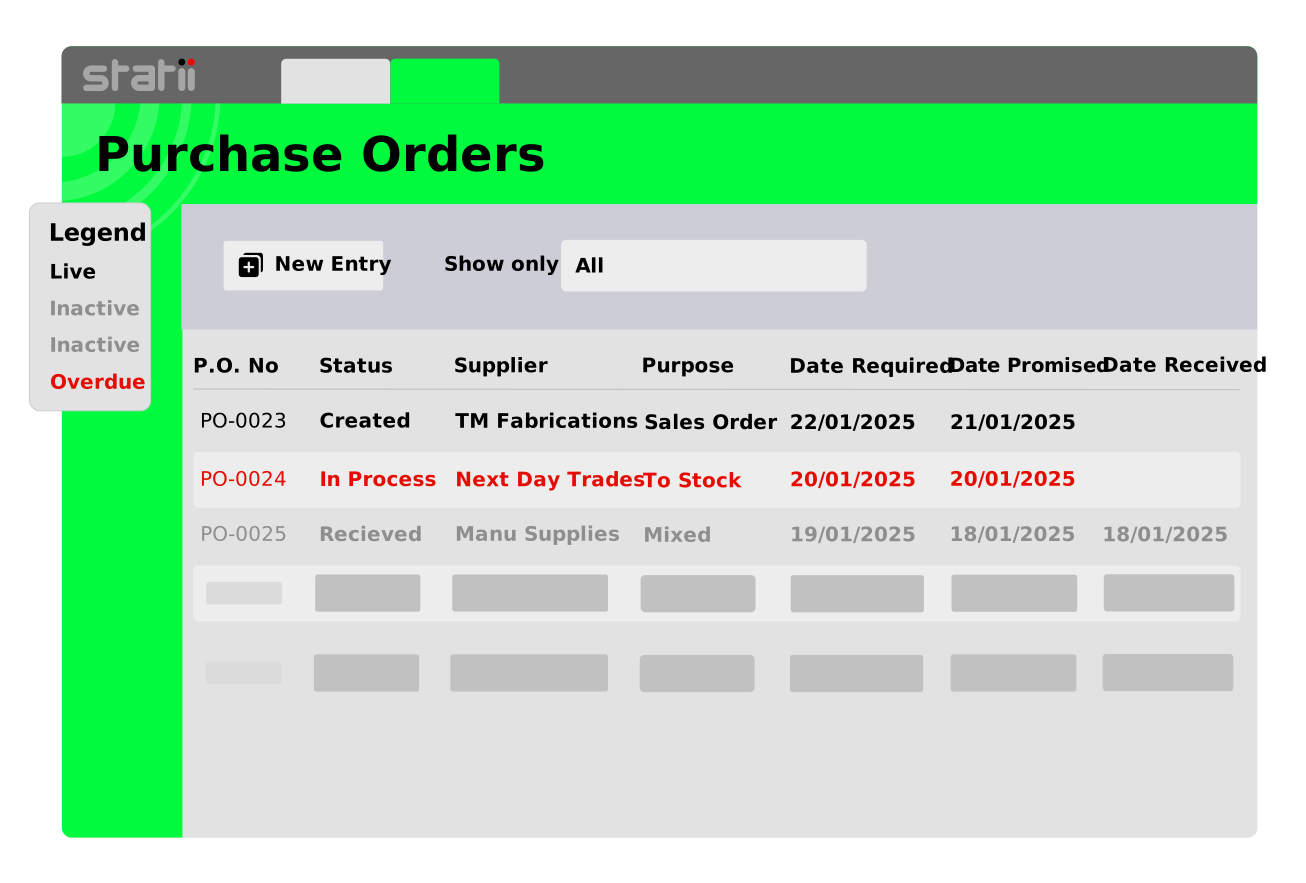
Any order still open past its date required turns red, and the Overdue counter says how many. You chase the supplier while there's still time to do something about it.
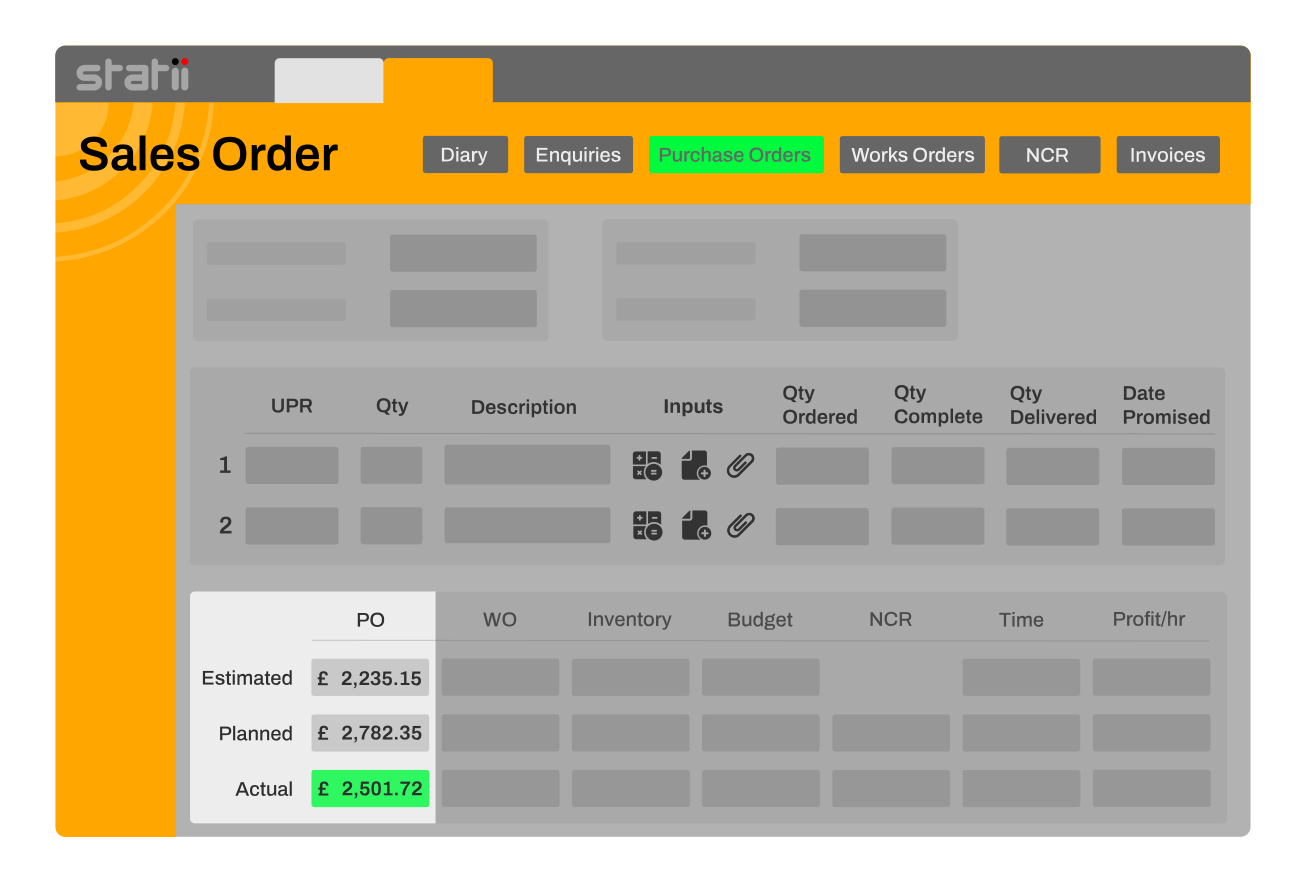
Receive an order linked to a sales order and its cost moves into the job's actuals. The margin shows what you really paid, with no re-keying.
Every received order records how many days early or late it arrived against the date required. Filter by supplier and you have their record.
Pick a supplier and their contact, payment terms and delivery address fill in. Then link each line to the sales order or works order it's for — or buy it to stock on the same order.
Send the purchase order to the supplier from the record itself, with a PDF preview before it goes. It moves to In Process, and the order keeps who sent it and when.
The dashboard holds every order you've raised. Live ones are black, overdue ones red, received ones grey, cancelled ones struck through — and every column totals at the foot.
Goods in is logged on a shop floor tablet and stock updates straight away; anything bought for a job is ready for production. When the supplier invoices, PI match the order — all of it, or part of a line.
Filter the dashboard to one supplier and a date range. Each order shows its date required, the date it arrived, and how many days early or late that was.
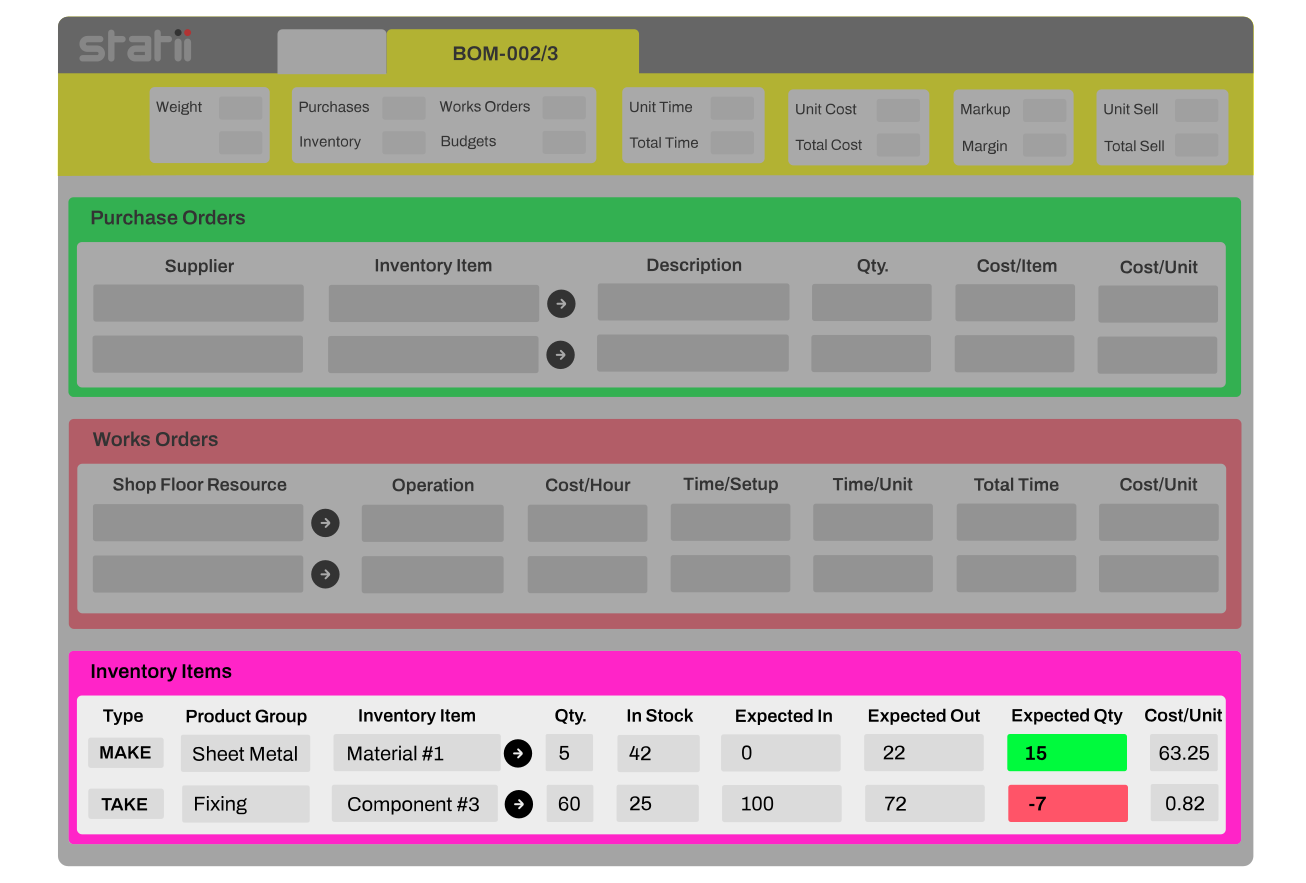
Convert the quote to a sales order and Statii orders the bought-in items the costing listed, flags any stock the job is short of, and follows each order back to the job when it lands.
Make stock of an item you build in-house and Statii raises the works order, plus purchase orders for the item's own external costs.
No long-term contract. Cancel at a month’s notice.
Unlimited phone and screen-sharing support from a person.
New features and system upgrades at no extra cost.
Purchase orders and invoices sync with Xero, Sage and QuickBooks. Setup, nominal codes and VAT mapping are covered on the integration page.
Deliveries can be booked-in to inventory from a tablet on the shop floor, in full or in part, without a trip to the office.
Purchase orders are raised alongside the works orders when the quote converts, and everything received reports back to the sales order.
Every stage inherits from the last. Nothing is re-keyed between them.
Buying from what your jobs actually need. In Statii, converting a quote to a sales order raises purchase orders for the bought-in items on its costing and flags any stock the job is short of, so purchasing starts from the job rather than from a guess.
No. Stock shortfalls are flagged on the works order — pink until an order is raised, blue once it is. Statii raises purchase orders automatically for the external costs on a quote, and when you make stock of an item with external costs of its own.
Yes. Every line links to the sales order or works order it's for, so one order to a supplier can carry lines for several jobs, stock and one-off buys. The dashboard can then be searched by sales order, works order or customer reference to show everything bought for it.
Yes. Each order can be delivered to your own premises, a customer, a supplier or another address — a production site, say, or a subcontractor doing the next operation.
Yes. Book in what's arrived and the rest stays open. When the supplier invoices, PI match the whole order or just part of a line's quantity, as many times as it takes.
Yes. Purchase orders sync with Xero, Sage and QuickBooks as soon as they're saved, and paid status comes back each day. Setup is covered on the accounts integration page.
Three minutes, no sales call. Or ring us on 0115 647 2022 and ask anything.
No card required · UK-based support included
Automate the purchasing process with Statii’s Purchase Orders module, streamlining procurement from order creation to supplier delivery tracking.


Quickly generate purchase orders based on inventory levels and job requirements.
Keep a clear view of all supplier transactions and track deliveries.
The system ensures all purchase costs are accurately tracked against job budgets.
Turn confirmed quotes and works orders into purchase orders instantly. Items, quantities, due dates, and suppliers carry through. Zero re-entry. Fewer mistakes. Faster buying.
See current stock, what’s expected in, and future demand. Get clear alerts on insufficient stock inside quote and sales order screens. Finally, raise a PO in seconds after Statii suggests what need to keep prodution running and minimises the risk of overstocking or under-stocking.
Track open POs, part-receipts, backorders, and expected dates on one screen. Book goods in fast. Update stock the moment items arrive. Keep production moving.
Actual PO costs post back to the job. See profitability during production, not weeks later. Price smarter. Act sooner. Close jobs with confidence.
Compare vendors by performance for delivery times, product quality, and pricing. Standardise packs & UoM for like-for-like comparisons. Spot risk early. Negotiate from data, not anecdotes.


Statii allows two methods of generating PO’s. The first is by creating demand automatically to satisfy either a Sales order or an Inventory item. The second method allows the user to create a PO manually. However, the system forces the user to tie the cost to a Sales Order where relevant.
Yes. You can assign preferred suppliers to inventory items which aren't make to order products.
You can set minimum stock levels to any bought in items. When they drop below the desired quantity users will be notified by the inventory indicators on the dashboard and a purchase order will be created to be send directly from the Statii MRP.